Getting Started
Track what you own, what it's worth, and what to do next.
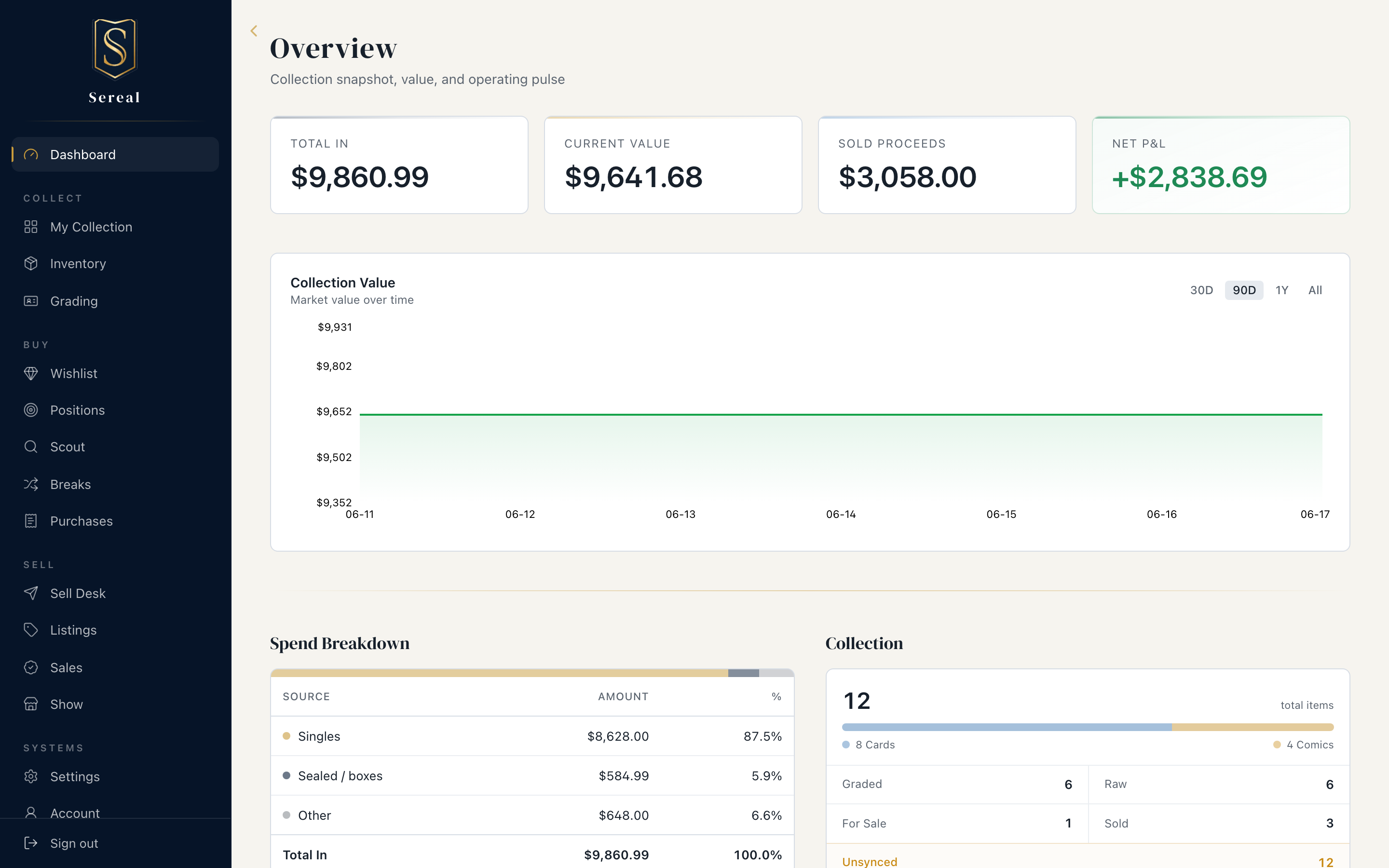
Sereal keeps your card and comic collection in one place: what you own, what it cost, what it's worth now, what you're chasing, and what to do next. This guide is task-oriented — each page walks a thing you actually want to do.
Your first ten minutes
- Log a few items you own. Go to Collection → Add Card (or Add Comic) and enter a couple of pieces. Don't aim for completeness yet — just enough to see the dashboard come alive. See Your Collection.
- Record what you've spent. Sealed boxes and bulk buys go in the Spend Log; individual cards carry their own cost. Together these form your Total In — your real money in the hobby.
- Add something you're chasing. Put a card or comic on your Wishlist, then let Scout watch for it. See Scouting & deals.
How Sereal thinks about your collection
A few ideas show up everywhere; learning them once makes the rest obvious:
- Medium. Everything is a card or a comic. Most surfaces have an All / Cards / Comics toggle so you can work one medium at a time.
- Cost basis vs. value. What you paid (cost basis) is fixed; what it's worth now comes from comps. Sereal tracks both so your P&L is honest.
- Boxes. Items live in boxes (Rookies, PC, Graded, Longbox A…) — your physical or logical organization, used for grouping and coloring throughout.
- The buy side. Wishlist is what you want; Scout and Deals are how Sereal helps you find it at a price you'll accept.
Where to go next
Sereal follows the full loop — own → buy → grade → sell → realize:
- Your Collection — add, organize, and value what you own. Inventory in the nav lands here, and a scope switcher moves you between Collection, Intake, All Owned, and By Box.
- Importing — bring cards in by the batch (CSV, COMC, PSA Vault) and triage them on the Intake tab.
- Scouting & deals — find and act on buying opportunities.
- Grading — move items through the pipeline and decide what's worth submitting.
- Breaks — track group-break spots and give the cards you pull a real cost basis.
- Selling — decide what to move, list it, and see your real P&L.