Scouting & deals
Track what you want, let Sereal watch for it, and act on good prices.
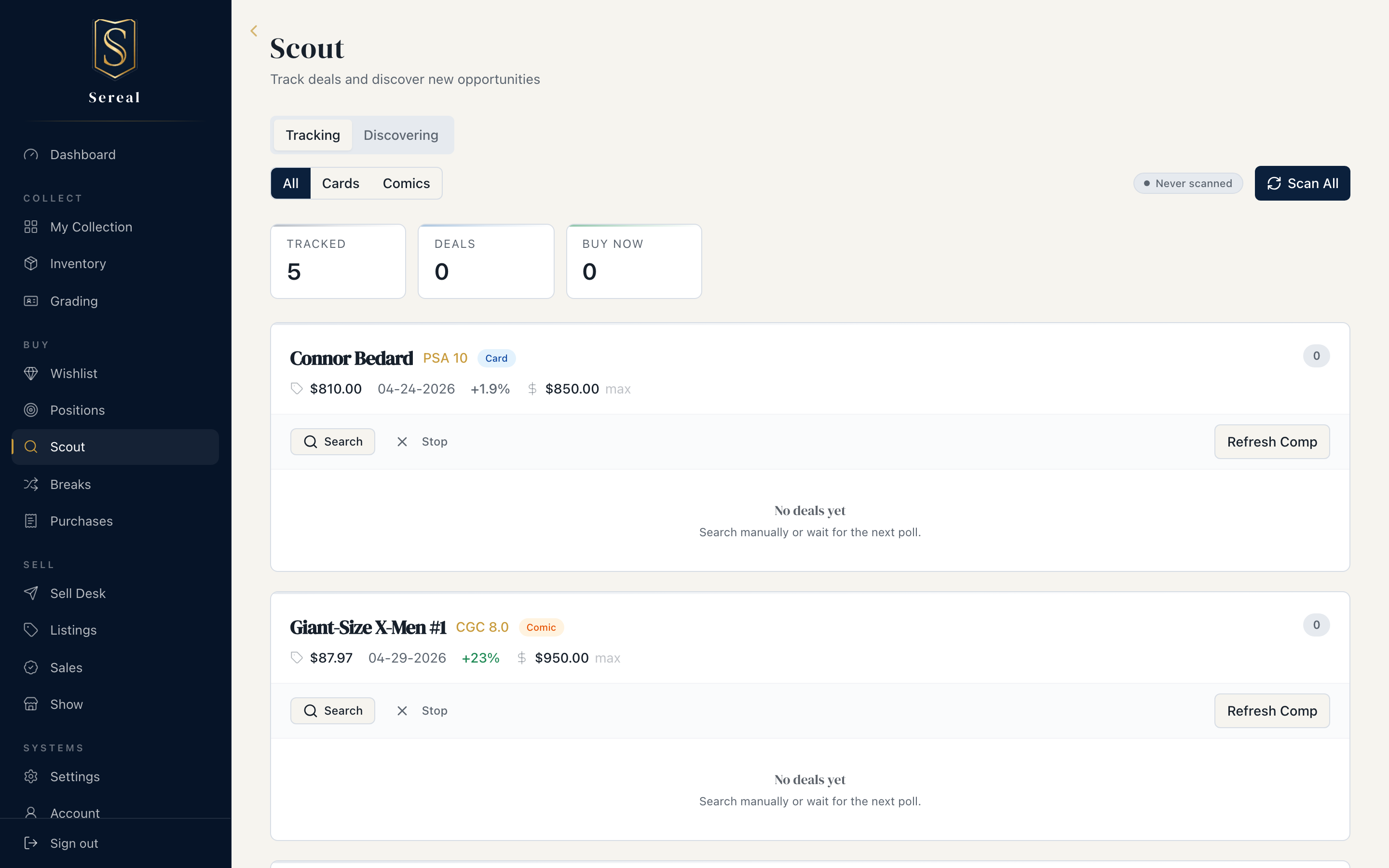
Scout is the buy side of Sereal: you say what you're after, and Sereal watches eBay for it, scores what it finds, and tells you when something is worth acting on. This page walks the loop from wishlist to purchase.
What needs which credentials. Three buy-side capabilities have independent requirements, so a partial setup still gets you a lot:
- Deals & Discovery (eBay polling) need eBay API credentials (
EBAY_APP_ID+EBAY_CERT_ID).- Sold-comp refresh (pulling fresh sold prices into an item's value) needs a separate
SOLDCOMPS_API_KEY.- Comp Links always work — they're plain eBay sold-search links built locally, no key required.
Everything on the Collection side works regardless.
1. Say what you want
Add cards or comics to your Wishlist with a target price. The wishlist is aspirational — it's the list Sereal hunts against. Each row has a Comp Link to check recent sold prices and a freshness indicator on the comp date.
2. Let Sereal watch
Deals surfaces eBay listings that match what you're chasing, each sorted by price and tagged with a tier:
- Buy Now — at or under your max price.
- Make Offer — a bit above max, and the seller takes offers.
- Watch — higher, but still worth keeping an eye on with best-offer enabled.
Anything outside those bands is skipped, so the list stays signal, not noise. A motivation score (1–5) hints at how likely a seller is to engage: someone priced at or below comp has set realistic expectations and tends to negotiate; someone priced well above comp usually just sits.
3. Make an offer
When a listing takes best offers, Sereal suggests offer amounts anchored to the comp (not the asking price), and scaled to how long the listing has been up — a high, a suggested, and a lowball figure. Use them as a starting point.
4. Buy it
When you land one, the Bought action pre-fills the matching Add Card or Add Comic form from the deal's data, so it flows straight into your Collection with cost basis intact — no re-typing.
Discovery
Beyond specific wants, Discovery rules let Sereal surface opportunities that fit patterns you care about, rather than only exact wishlist matches — a wider net for the buy side.
The loop
Wishlist → Scout watches → a deal clears your bar → Bought → it's in your Collection. That's the whole acquisition cycle, and each step hands clean data to the next.